Highlight
Saved.
My Notes
0 highlights on this page
No highlights yet. Select any text and choose a color to begin building your notes.
Study Notes

The Living Lesson Library

Study notes from the program, written to be used rather than filed
Search every lesson
Six things you can do on these pages Every one of these is live. Each tile opens the thing it describes rather than explaining it.
How the marking works

Marking up a page takes four moves. These are the real controls on a live lesson, not a diagram of them.

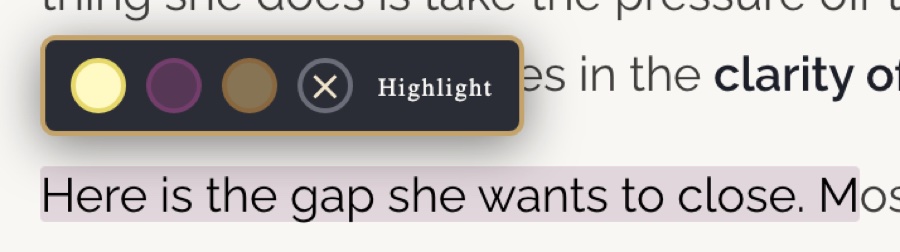
The highlight toolbar open over a selected sentence, offering three colors
Step one
Select any passage and pick a color.
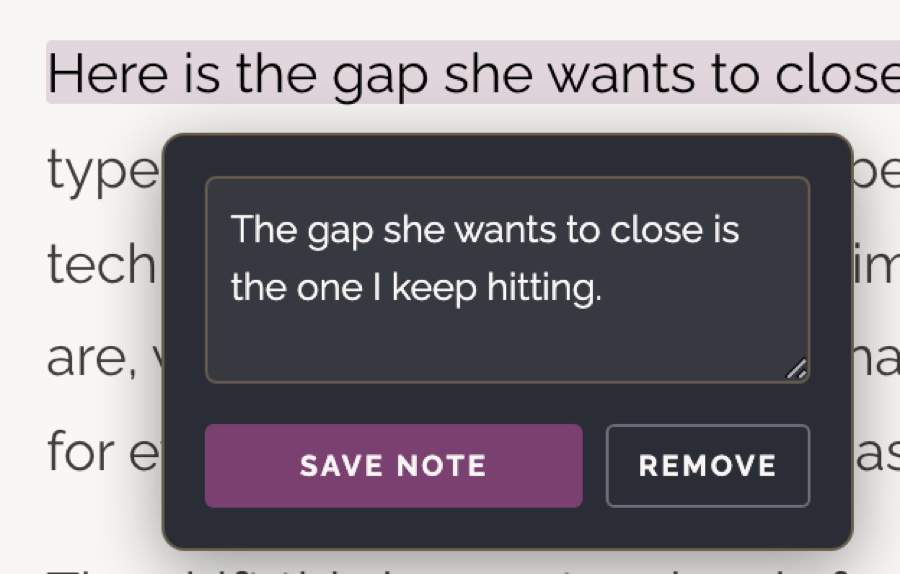
The note popover open with a typed note and Save Note and Remove buttons
Step two
A dot appears at the end of it. Click the dot to attach a note.
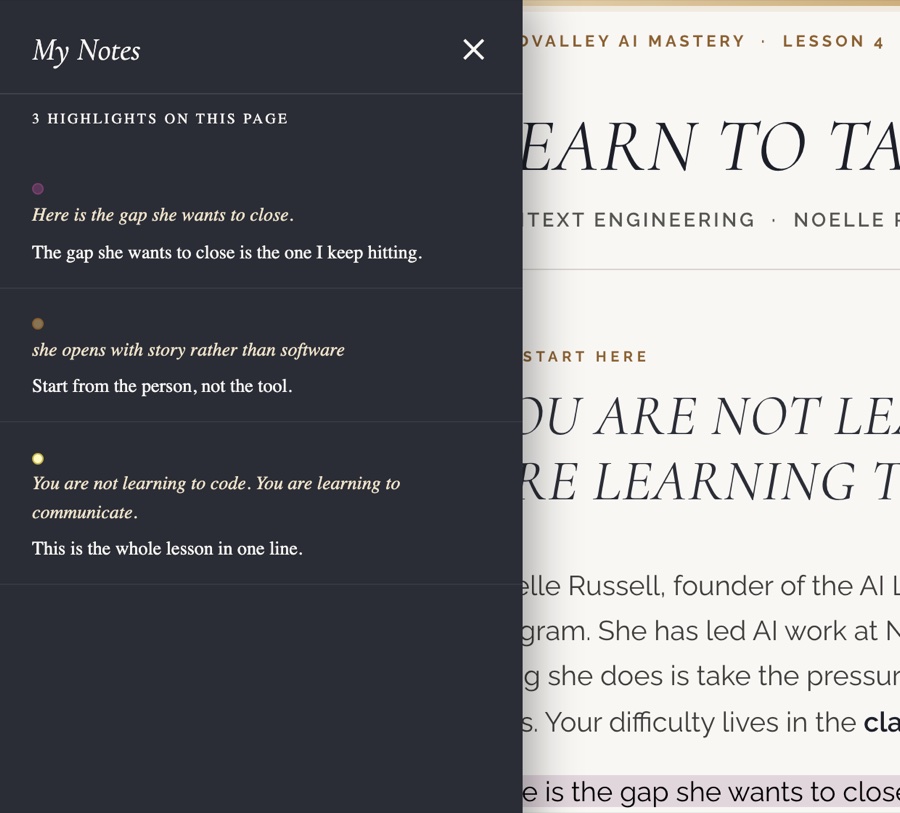
The My Notes drawer listing three highlighted passages and their notes
Step three
My Notes gathers every passage you marked, with your note under each one.
The control bar showing Notes Off, My Notes with a count of three, and Save File
Step four
Turn notes off for a clean read. Save File keeps everything in place.
01   What This Is

Notes you can work inside, not a folder of summaries.


Every session in this program gives you more than you can hold in your head at the time. These pages are where that material settles. Each one documents what a lesson taught, in enough depth that you can come back six months later and still be able to build from it.

A sample, and what it is a sample of

What follows is four lessons from a longer series that runs across the whole program. They are consecutive on purpose. Lesson four teaches the thinking, five puts it to work, six shows you a working AI team, and seven has you build your own. Each one leans on the one before it.

Picking four consecutive lessons rather than four scattered highlights was deliberate. It is how I could show that the pages carry a through-line and speak to each other rather than sitting in a pile.
04   The Lessons

4 Sample Lessons


These are the four sample lessons, reachable from the cards below or from the list in the sidebar. The series alternates: a teaching session introduces the idea, then an implementation lab puts it to work the same week, so each pair moves from understanding a thing to having built one. Read them in order the first time.

The lessons below are the product, not the pitch. They are dense on purpose; a study page is meant to be worked inside rather than skimmed.

02   Why It Exists

They announced the summaries were ending, so I built the replacement.


Partway through AI Mastery, Mindvalley announced it would stop producing the written lesson summaries. That mattered more than it might sound, because video on its own is not something I can search, annotate, or come back to six months later and still get anything from.

  • Built before the outcome was known. Rather than wait to find out whether it would hold, I built what I needed. The decision was reversed later, after the community pushed back, which told me the need was real and not only mine.
  • No code, all judgment. I have never written a line of code. What I did was decide what it had to be, write down the rules it had to hold to, and review what came back hard enough to find what was still wrong with it.
  • Every standard lives in a check. The rules I care about now fail the build rather than sitting in something I have to remember. The pages being good matters less than the standard holding without me.
What a reader should take from this

The library is a sample, not a product. Four lessons built to the standard a full library would be held to. The page builder behind them has since rebuilt a second, unrelated program's library from scratch.

03   The Formats

1 Transcript, 3 Artifacts


Three skills read the same lesson transcript and produce three different things, because reading to revise, reading to think, and reading to reference are not the same task. The interactive pages below are only one of the three. Each one opens as a page in this portfolio showing the exported document itself, not a copy of it.

All three samples are the same lesson, Build Your AI Operating System (Part 2), so they can be read against each other.

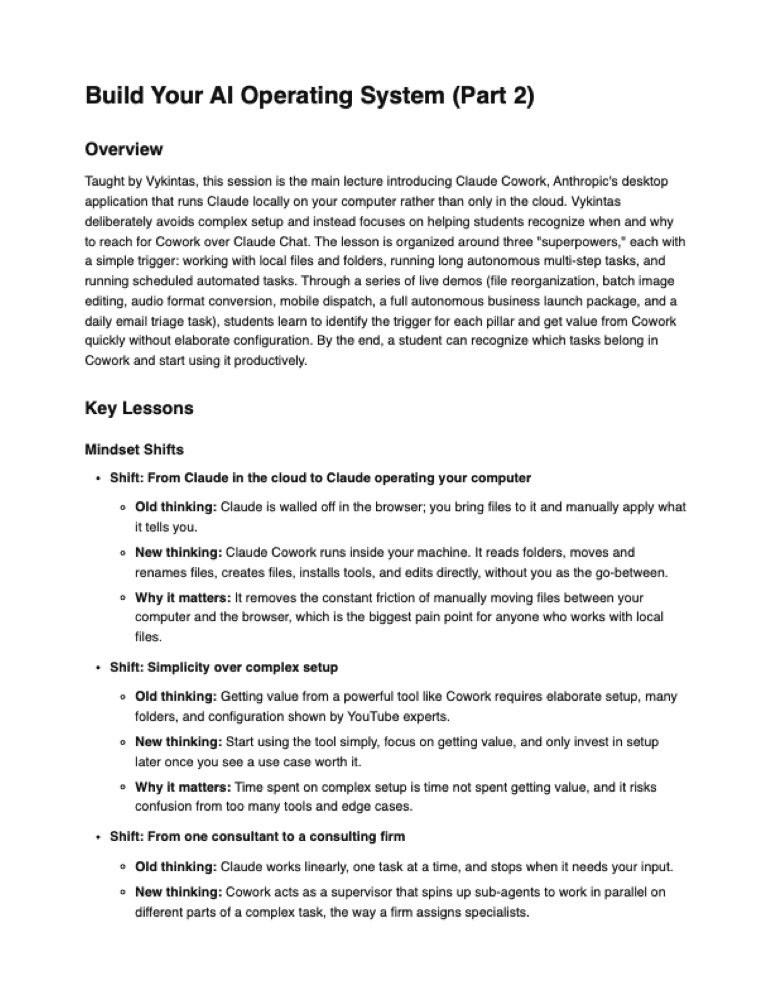
The faithful summary as exported, in the program's own structure
Format one
The faithful summary

The lesson in the program's own summary structure, and in the program's own look rather than mine: mindset shifts, frameworks, tools, demo walkthroughs with reproducible steps, and takeaways. Carrying my branding here would have contradicted the thing it is claiming to be.

7 pages  ·  Opens on the page Read the summary →
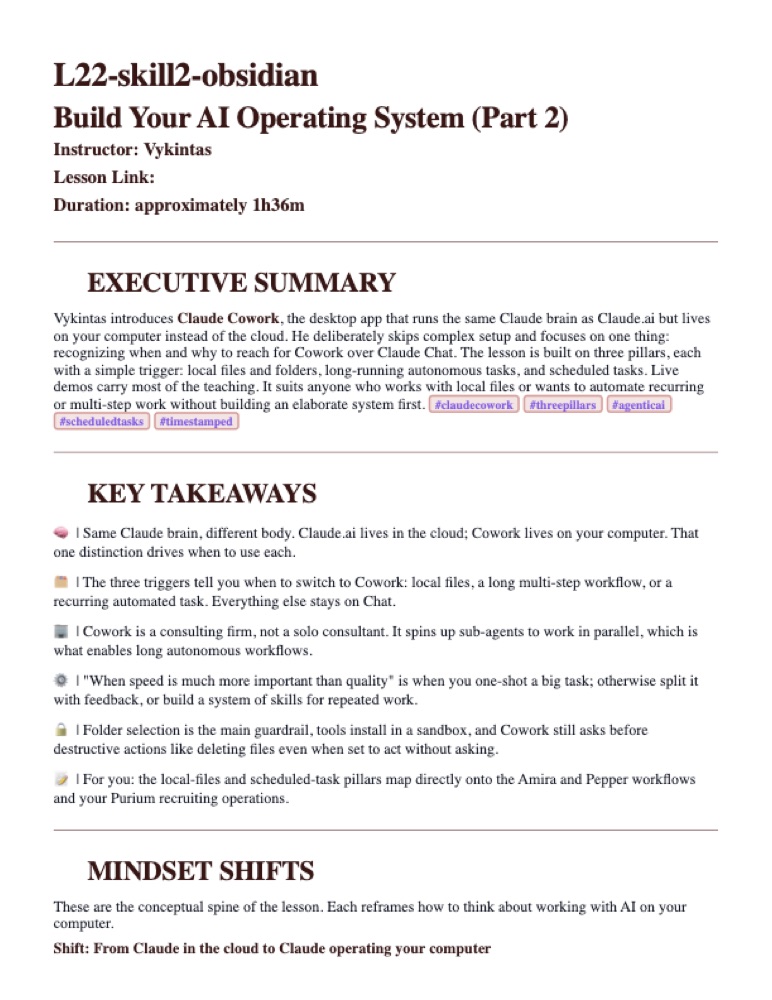
The personalized note in Obsidian, with timestamps back to the recording
Format two
The personalized note

The same lesson reorganized for a knowledge base, with inline timestamps back to the recording and a personalization layer that reads a written Personal DNA profile. It carries "For you" passages that map the material onto the reader's own work.

My Obsidian export  ·  6 pages Read the note →
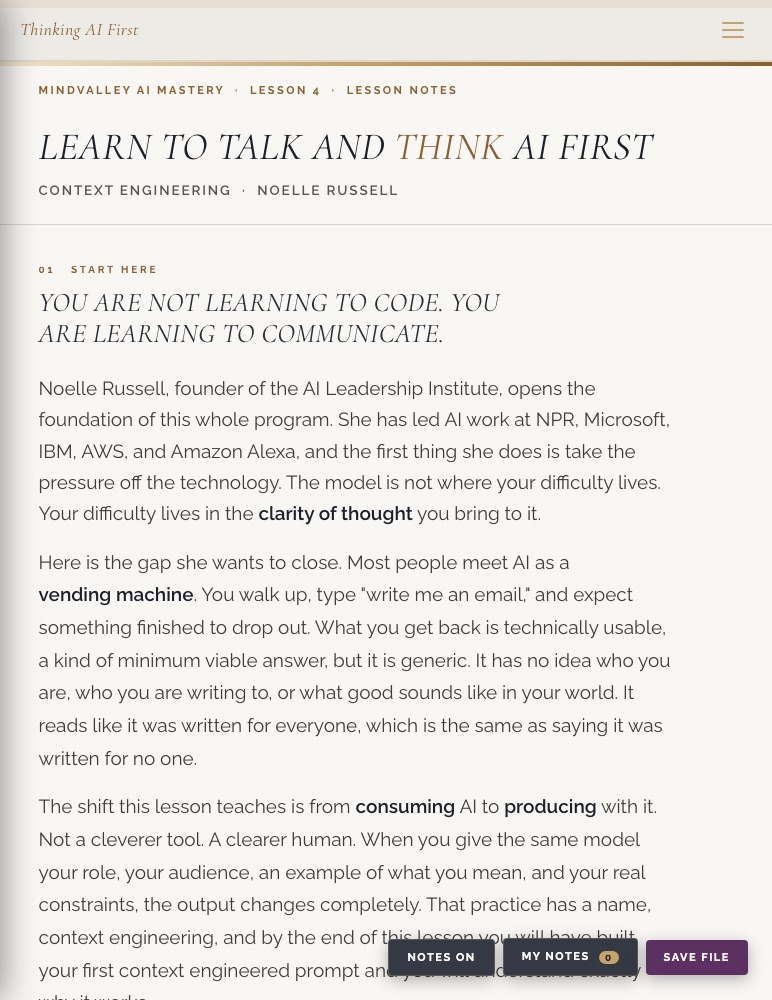
A live lesson page with the notes bar and save control visible
Format three
The interactive page

The format this library is built in. Full text search across every lesson, narrated audio, highlighting and notes you can save out with the page, and retrieval practice cards. Four are built and live, and they are listed below.

4 lessons  ·  Live Go to the lessons →
05   How It Is Built

A system, not a set of one-off pages.


The short version

Every page here is produced by the same authoring system: one stylesheet written once rather than patched, a validator that fails the build on contrast, centring, spacing and orphan errors before a page ships, and a search index compiled into this opening page so the whole library is searchable with no server behind it.

Each page is a single self-contained HTML file. Highlights, notes and reading progress are saved in the browser. The narration is generated from the lesson script and streamed from object storage.

Notes are only worth keeping if you can find your way back into them, and that is why these look the way they do.
Mindvalley AI Mastery  ·  Lesson Notes

Thank you for spending time with this.

Tech stack
Claude CodeClaude SkillsObsidianPythonNodeedge-TTSffmpegSupabase StorageHeadless Chrome over CDP
3
Skills
One transcript in
4
Lessons
Built and live
67
Sections
Searchable instantly
2
Blocking gates
25 check families